Most contractors treat their sales process like a game of catch played in a dark room. You spend thousands of dollars on marketing to get the phone to ring, and when a lead finally arrives, you scramble to find a piece of paper or a sticky note to jot down the details. If you are lucky, that lead gets an estimate. If you are very lucky, you remember to follow up a week later. But for most home service businesses, the majority of potential revenue simply falls through the cracks because there is no structured system to move a prospect from a “maybe” to a signed contract.
A contractor sales pipeline is not a complex corporate buzzword. It is a visual representation of your sales process that allows you to see exactly where every potential customer stands at any given moment. Without this visibility, you are guessing about your future revenue. You are likely overpaying for leads that you are essentially throwing away through neglect. In our work with contractors, we have found that the biggest jump in revenue rarely comes from getting more leads; it comes from building a pipeline that actually manages the leads you already have.
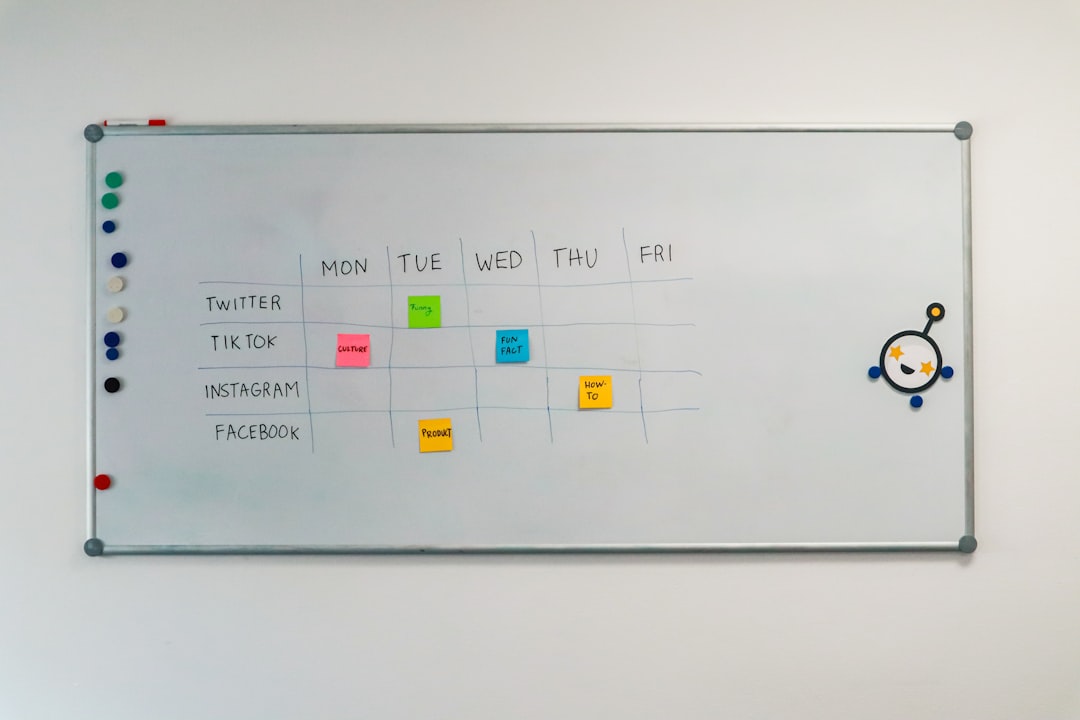
Defining the Essential Stages of a Contractor Sales Pipeline
The first mistake most business owners make is overcomplicating their pipeline stages. You do not need twenty different steps to track a roofing or HVAC job. A bloated pipeline creates friction, and friction is the enemy of adoption. If your team finds the system too difficult to update, they will stop using it, and you will be right back to using sticky notes. A high performing contractor sales pipeline generally consists of five to six clear, actionable stages that reflect the homeowner’s journey.
The first stage is “New Lead.” This is the landing strip for every inquiry that comes through your website, Google Business Profile, or phone line. The goal here is simple: qualification. You need to determine if the job is in your service area, if the project type fits your expertise, and if the timeline works. Once a lead is qualified, they move to “Appointment Scheduled.” This is a critical transition. A lead that has an appointment on the calendar is significantly more valuable than a raw inquiry. We have seen this pattern across dozens of trades; the faster you move a lead to a scheduled site visit, the higher your closing rate will be.
After the site visit, the lead moves to “Estimate Sent.” This is where many contractors stop. They send the quote and wait for the homeowner to call them back with a credit card. This is a recipe for failure. The next stage, “Follow-up,” is where the actual money is made. This stage should be a holding pen for every estimate that has not yet been signed or rejected. Finally, you have “Contract Won” and “Closed Lost.” Every stage must have a clear “exit criterion.” For example, a lead cannot move from “New Lead” to “Appointment Scheduled” until a date and time are actually locked into your calendar. By defining these boundaries, you ensure that your pipeline data remains clean and actionable.
Why a Visual CRM Beats a Spreadsheet Every Time
Many contractors start by tracking their leads in an Excel sheet or a Google Spreadsheet. While this is better than nothing, it is a dead-end strategy for a growing business. Spreadsheets are static. They do not send notifications, they do not automate emails, and they do not give you a bird’s-eye view of your cash flow. A visual CRM (Customer Relationship Management) tool uses a “Kanban” board view - think of it like digital index cards moving from left to right across columns. This visual layout allows you to see bottlenecks instantly. If you have forty cards in the “Estimate Sent” column and only two in “Contract Won,” you know exactly where your problem lies: your follow-up process is broken.
We’ve seen this pattern time and again: a contractor thinks they need more leads, but once we put their data into a visual pipeline, we realize they have $200,000 in unsigned estimates just sitting there. A spreadsheet hides that reality in rows of text. A visual pipeline puts it in your face. Furthermore, modern CRMs allow for “speed to lead” integrations. When a homeowner fills out a form on your site, that data should automatically populate a card in your “New Lead” column and trigger an immediate text message to the prospect.
If you are still manually typing names and phone numbers into a spreadsheet, you are wasting hours of high-value time every week. According to the U.S. Small Business Administration, efficient operations and cash flow management are the backbones of a stable small business. A CRM provides the data you need to manage that cash flow by showing you the total value of the jobs currently sitting in your pipeline. You can see, at a glance, that you have $50,000 worth of work likely to close in the next fourteen days, which allows you to plan your crew scheduling and material orders with confidence.
Automating Lead Entry and the Initial Response
The modern homeowner has zero patience. If they reach out to three roofing companies and you are the only one who doesn’t respond within ten minutes, you have already lost the job. Your contractor sales pipeline must be built on a foundation of automation. This starts with lead ingestion. Every lead source - whether it is a Facebook Ad, a contact form, or a local lead service - should feed directly into your CRM via an API or a tool like Zapier. Manual data entry is a failure point that you cannot afford.
Once the lead is in the system, the clock starts. You should have an automated “Instant Response” sequence. This is not just a “we received your message” email. It should be a text message that asks a clarifying question or offers a link to book an appointment directly. This is where using AI to respond to leads faster becomes a massive competitive advantage. An AI assistant can engage the lead, qualify them based on your criteria, and even put them on your calendar while you are busy on a job site.
Automation also ensures that no lead is ignored. We have worked with plumbing companies that were “losing” 30 percent of their leads simply because the office manager was overwhelmed and forgot to call people back. When the pipeline is automated, the system can flag a lead that has been sitting in the “New Lead” column for more than four hours without action. This level of accountability is what separates the $500k-a-year “Chuck in a truck” from the $5M-a-year professional operation. Automation does not replace the human touch; it ensures that the human touch happens at the right time.
Not sure what’s worth automating in your operation? Book a free 30-minute Efficiency Discovery Call with Field Crew AI - we’ll audit your business and show you exactly where the gaps are. —
The Fortune Is in the Follow-Up Cadence
The most neglected part of the contractor sales pipeline is the follow-up stage. Most contractors send an estimate and then wait. If they don’t hear back in three days, they assume the customer went with someone else or changed their mind. This is a massive mistake. Homeowners are busy. They have jobs, kids, and a million distractions. Often, they haven’t made a decision yet; they just haven’t had the five minutes required to sit down and review your proposal.
A professional pipeline includes a mandatory follow-up cadence. We recommend a “5x5” strategy: five touchpoints over five days, or at the very least, a structured sequence that lasts two weeks. This might look like a phone call the day after the estimate, a text message on day three, and an email with a customer testimonial on day five. You should also focus on how to write a contractor estimate that wins more jobs by making your proposal easy to read and even easier to sign digitally.
Your CRM should automate the reminders for these follow-ups. If an estimate remains in the “Sent” column for 48 hours, the system should automatically move it to “Follow-up” and task a salesperson to call. If you are a solo operator, these automated reminders are your external brain. They ensure that you are not just “working in the business” by swinging a hammer, but also “working on the business” by closing the deals that keep the lights on. Persistence is rarely viewed as annoying by homeowners; more often, it is viewed as a sign of professionalism and reliability.
Step-by-Step Guide to Setting Up Your Pipeline
Building your first pipeline does not require a week of downtime. You can set up a functional, high-converting system in a single afternoon if you follow a logical framework. The goal is to move from chaos to a “Single Source of Truth.”
- Audit Your Lead Sources: List every way a customer can contact you (Website, Google, Facebook, Referrals, Phone).
- Select Your CRM Tool: Choose a platform that fits your trade. For roofers, Roofr or Jobber are excellent. For general contractors, Pipedrive or HubSpot offer more flexibility. Avoid building this in a general tool like Trello unless you are prepared to do a lot of manual setup.
- Map Your Stages: Use the five stages discussed earlier: New Lead, Appointment Set, Estimate Sent, Follow-up, and Won/Lost.
- Connect Your Forms: Use a tool like Zapier to ensure that when a form is filled out on your site, a “Deal” is automatically created in your CRM’s “New Lead” column.
- Draft Your Templates: Write three standard follow-up emails and two text messages. Save these as templates in your CRM so you can send them with one click.
- Set Your “Dead Lead” Rule: Decide when a lead is officially “Lost.” We recommend 30 days of no contact. Move these leads to a “Long-term Nurture” list rather than just deleting them.
- Review Weekly: Block 30 minutes every Friday to look at your pipeline. Who is stuck? Why are they stuck? What is the total dollar value of your “Estimate Sent” column?
This framework ensures that you are building a scalable asset. As you hire sales reps or office managers, you won’t have to explain “how we do things” through hours of shadowing. You simply point them to the pipeline and the exit criteria for each stage. It creates a culture of accountability where “I forgot” is no longer an acceptable excuse for a lost job.
Common Pipeline Pitfalls and How to Fix Them
Even with the best intentions, a sales pipeline can become a cluttered mess if it is not maintained. The most common mistake we see is “Pipeline Bloat.” This happens when you refuse to move leads to the “Lost” column because you “think they might still call back.” This results in a pipeline that says you have $1M in potential revenue, but $900k of that is from people who haven’t answered their phone in six months. This fake data makes it impossible to forecast your actual income. You must be ruthless. If a lead is dead, kill it. You can always revive it later with a seasonal promotion.
Another major pitfall is the “Ghost Lead” phenomenon. This occurs when a lead is moved to the “Appointment Set” stage, the appointment happens, but the salesperson never updates the card to “Estimate Sent.” Now, that lead is invisible to the system. The automated follow-ups don’t trigger because the system thinks the appointment hasn’t happened yet. To fix this, you need a strict rule: no one leaves the job site without updating the CRM. Whether it is a “No Show,” a “Quote Given,” or a “Follow-up Needed,” the status must be updated in real-time.
Finally, many contractors fail to track their “Lost” reasons. When you move a card to “Closed Lost,” your CRM should require you to select a reason: Price, Timeline, No Response, or Went with Competitor. Over six months, this data becomes incredibly valuable. If you see that 70 percent of your lost jobs are due to “Price,” you might need to re-evaluate your marketing to attract higher-quality leads, or you might need to work on your sales presentation to better communicate your value. Without this data, you are just guessing why you aren’t growing.
Frequently Asked Questions
How many stages should my contractor sales pipeline have?
Keep it between five and seven stages. Any fewer and you lose the nuance of where the lead is in their journey; any more and the system becomes too tedious for your team to update. The core stages should always include Lead In, Appointment Scheduled, Estimate Sent, and Follow-up. You might add a “Qualified” stage before the appointment if you have a high volume of leads that need vetting, but for most residential contractors, five is the sweet spot. The goal is clarity, not complexity. If you can’t explain what a stage means in one sentence, you don’t need it.
What is the best CRM for a small contracting business?
The “best” CRM is the one you and your team will actually use. For many home service businesses, industry-specific tools like Jobber, ServiceTitan, or Housecall Pro are excellent because they combine the sales pipeline with scheduling and invoicing. If you want something purely focused on the sales side, Pipedrive is exceptionally user-friendly and visual. We recommend staying away from overly complex enterprise tools like Salesforce unless you have a dedicated IT person. Start with a tool that has a great mobile app, as your team will likely be updating it from their trucks.
How often should I be cleaning out my pipeline?
You should perform a “mini-clean” every week and a “deep clean” once a month. During the weekly review, look for leads that have stagnated in a stage longer than they should. For example, if a lead has been in “Appointment Set” for two weeks, the appointment has clearly passed, and the card needs to be moved. During the monthly deep clean, move any lead that has been unresponsive for more than 30 days to a “Lost” or “Cold” category. This keeps your conversion data accurate and ensures that your sales team is only focusing on active, high-probability opportunities.
Transforming Your Lead Management into a Growth Engine
Building a contractor sales pipeline is the single most effective thing you can do to stabilize your business revenue. It moves you away from the “feast or famine” cycle that plagues so many trades. When you have a clear view of your pipeline, you can see a slow month coming before it happens, giving you time to ramp up your marketing or reach out to past customers. You stop losing money on leads you already paid for, and you start presenting a professional, organized image to every homeowner who contacts you.
A pipeline is not a “set it and forget it” tool. It is a living part of your daily operations. By defining your stages, automating your responses, and being disciplined about your follow-up, you will naturally close more jobs without spending an extra dime on advertising. The contractors who win in 2026 are not necessarily the best at their craft; they are the ones who are the most professional and responsive in their sales process.
Not sure what’s worth automating in your operation? Book a free 30-minute Efficiency Discovery Call with Field Crew AI - we’ll audit your business and show you exactly where the gaps are. —